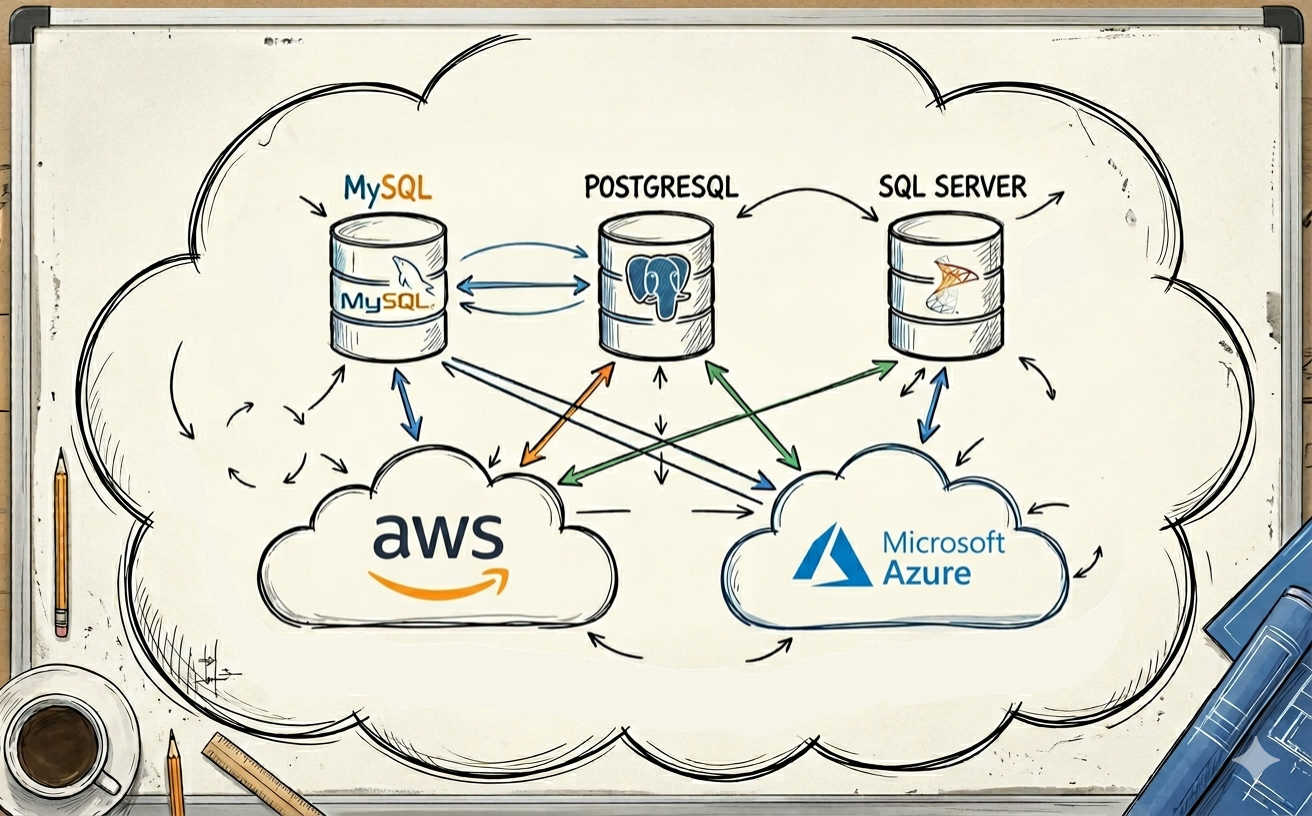
TL;DR TL;DR — Quick Summary & Key Takeaways
Choosing between MySQL, PostgreSQL, and Microsoft SQL Server requires matching database architectural strengths to organizational constraints. Evaluating concurrency models, JSON capabilities, and cloud ecosystems ensures long-term database stability.
- PostgreSQL versatility: The gold standard for modern development, featuring rock-solid JSONB querying, extensibility (
pgvector), and ACID compliance. - MySQL simplicity: Exceptional read-heavy web performance, straightforward replication, and ubiquitous web hosting compatibility.
- SQL Server enterprise power: Deep Microsoft ecosystem integration, enterprise tooling, and comprehensive commercial support contracts.
- Architectural trade-off: Prefer PostgreSQL for general-purpose applications unless committed to an enterprise .NET stack or dedicated MySQL tooling.
If you’ve been building software for any length of time, you’ve almost certainly worked with at least one relational database. There’s a good chance it was MySQL, PostgreSQL, or SQL Server. All three can store rows, run queries, and handle transactions, so it’s tempting to think the choice doesn’t matter much.
It does.
Each engine has a personality. Each one makes certain workloads easy and others harder. If you’re an architect choosing a database for a new system, or re-evaluating the one you already have, understanding those differences can save you from expensive surprises later.
This post isn’t a feature-by-feature spec sheet. It’s the conversation I’d want to have with another architect over coffee: where does each database shine, where does it struggle, and what should you actually think about when making the call?
If you’re interested in how NoSQL options like DynamoDB compare, I covered that recently in Why DynamoDB Feels Magical Until You Learn the Trade-Offs.
The Short Version
Before diving into detail, here’s a rough mental model.
MySQL is the workhorse of the web. It’s simple, fast for read-heavy workloads, and powers a staggering number of production systems. If you want something that just works, has enormous community support, and doesn’t ask you to think too hard about advanced features, MySQL is a solid choice.
PostgreSQL is the most feature-rich of the three. It’s standards-compliant, extensible, and handles complex queries, advanced data types, and mixed workloads well. If you want the Swiss Army knife of relational databases, PostgreSQL is usually the answer.
SQL Server is the enterprise choice, especially in Microsoft-heavy environments. It bundles analytics, reporting, and tooling into a single platform. If your organisation already runs on Windows, .NET, and Azure, SQL Server often feels like the path of least resistance.
MySQL: Simple, Fast, Battle-Tested
MySQL has been around since 1995. It’s the M in the classic LAMP stack, and it still powers huge platforms including WordPress, Shopify, and large parts of Meta’s infrastructure.
MySQL’s strengths
MySQL’s biggest strength is simplicity. It’s easy to set up, easy to operate, and easy to find people who know it well. For read-heavy workloads, it’s very fast out of the box.
The InnoDB storage engine handles ACID transactions, row-level locking, and crash recovery well. For most web applications, that’s all you need.
MySQL’s replication is mature and well understood. Setting up read replicas is straightforward, and the ecosystem around replication tooling is large. That makes it a natural fit for applications that need to scale reads horizontally.
MySQL’s weaknesses
MySQL has historically been less strict about data integrity than PostgreSQL. Things like silent data truncation and loose type coercion have bitten many teams over the years. Newer versions with strict SQL mode help, but the defaults can still surprise you if you’re coming from a stricter engine.
Complex queries involving CTEs, window functions, and advanced joins have improved significantly in recent MySQL versions, but PostgreSQL still handles these more naturally. If your application leans heavily on analytical queries or complex reporting, MySQL can feel limiting.
Stored procedures, triggers, and extensibility are more constrained compared to both PostgreSQL and SQL Server. If you need the database to do heavy lifting beyond basic CRUD, you’ll feel those limits.
When to choose MySQL
MySQL is a strong choice when you’re building a web application with well-understood read-heavy patterns, when simplicity and operational ease matter, and when the team already knows it. It’s also the natural fit when you’re working with platforms or frameworks that assume MySQL, such as WordPress, Laravel, or Ruby on Rails.
PostgreSQL: The Feature-Rich Generalist
PostgreSQL has earned a reputation as the most capable open-source relational database. It’s been around since the mid-1980s (as the Postgres project at Berkeley), and the community has spent decades adding features without sacrificing correctness.
PostgreSQL’s strengths
PostgreSQL’s type system is remarkably rich. Beyond the usual integers and strings, you get native support for arrays, ranges, UUIDs, network addresses, and geometric types. You also get excellent JSON support, which I’ll cover in more detail shortly.
The query planner is sophisticated. Complex joins, subqueries, CTEs, and window functions all work well. If your application needs to answer questions that involve multiple tables, aggregations, and filtering in the same query, PostgreSQL handles that gracefully.
Extensibility is a first-class feature. You can add custom types, operators, index methods, and even entire extensions. PostGIS for geospatial data, pg_trgm for fuzzy text search, and TimescaleDB for time-series workloads are all examples of how the extension ecosystem lets PostgreSQL stretch into domains that would normally require a specialist database.
PostgreSQL is also very strict about data correctness by default. It won’t silently truncate your data or coerce types in surprising ways. For systems where data integrity is non-negotiable, that strictness is a genuine advantage.
PostgreSQL’s weaknesses
PostgreSQL can be more complex to tune than MySQL, especially for high-connection workloads. The process-per-connection model means you’ll probably want a connection pooler like PgBouncer in front of it for busy applications.
Replication is solid but has historically been more involved to configure than MySQL’s. Logical replication has improved this significantly, but the ecosystem of third-party replication tools is smaller.
The sheer number of features can also be a double-edged sword. Teams sometimes over-engineer their schemas because PostgreSQL lets them. Just because you can create a custom composite type with a GIN index doesn’t mean you should.
When to choose PostgreSQL
PostgreSQL is the strongest choice when your workload is complex, when data correctness matters deeply, when you want extensibility, or when you’re not sure what questions you’ll need to ask your data in six months. It’s also a great default if you don’t have a strong reason to choose something else. It handles almost everything well, which is why “just use Postgres” has become a common refrain among architects.
SQL Server: The Enterprise Platform
SQL Server has been Microsoft’s flagship database since 1989. It’s evolved from a Windows-only product into something that now runs on Linux and inside containers, though its spiritual home is still the Microsoft ecosystem.
SQL Server’s strengths
SQL Server bundles a lot of functionality that PostgreSQL and MySQL require external tools for. SQL Server Reporting Services (SSRS), SQL Server Integration Services (SSIS), and SQL Server Analysis Services (SSAS) are all part of the platform. If your organisation needs reporting, ETL, and analytics tightly integrated with the database, SQL Server offers that in a single product.
The tooling is polished. SQL Server Management Studio (SSMS) and Azure Data Studio are mature, full-featured tools. The profiler, query analyser, and execution plan visualiser are all strong.
For .NET applications, the integration is seamless. Entity Framework, ADO.NET, and the broader .NET data access ecosystem are built with SQL Server as the primary target. If your team already writes C#, choosing SQL Server removes a lot of friction.
SQL Server’s query optimiser is very good, especially for OLTP workloads. Features like columnstore indexes, in-memory OLTP, and query store give you performance tools that are harder to find in the open-source alternatives.
SQL Server’s weaknesses
Licensing is the obvious one. SQL Server’s commercial licensing can be expensive, especially at scale. There’s a free Express edition, but it has limits on database size (10 GB), memory, and CPU. The Developer edition is free for non-production use, which helps with development and testing, but production deployments need Standard or Enterprise licenses.
Vendor lock-in is real. If you build heavily on T-SQL’s proprietary extensions, SSIS packages, and SSRS reports, migrating away later is a significant project.
The community and ecosystem are smaller than MySQL’s or PostgreSQL’s in the open-source world. If you’re building on Linux, running Kubernetes, or working in a startup environment, SQL Server can feel like a heavyweight choice.
When to choose SQL Server
SQL Server is the strongest choice when you’re in a Microsoft shop, when you need integrated reporting and analytics, when the team already knows T-SQL, or when enterprise support and SLAs matter. It’s also worth considering when the application is .NET-based and you want the smoothest possible data access story.
Handling Unstructured and Semi-Structured Data
One of the more interesting shifts in relational databases over the past decade is how well they handle data that doesn’t fit neatly into columns and rows. All three engines now offer solid JSON support, which means “we need flexible schemas” is no longer an automatic reason to reach for a document database.
PostgreSQL’s JSON and search support
PostgreSQL is the clear leader here.
It has two JSON types: json (stores text) and jsonb (stores a parsed binary representation).
jsonb is the one you’ll almost always want because it supports indexing with GIN indexes, which means you can query inside JSON documents efficiently.
You can also use JSON path expressions, partial indexes on JSON fields, and generated columns that extract values from JSON for use in regular indexes. If you need to store semi-structured data alongside relational data, PostgreSQL makes that feel natural.
Full-text search is another area where PostgreSQL does well.
The built-in tsvector and tsquery types, combined with GIN indexes, give you workable full-text search without needing an external tool like Elasticsearch.
It’s not as feature-rich as a dedicated search engine, but for many applications it’s good enough.
MySQL’s JSON and search support
MySQL added a native JSON data type in version 5.7.
You can store, validate, and query JSON documents, and MySQL automatically validates that stored values are well-formed JSON.
Multi-valued indexes (added in MySQL 8.0) let you index arrays inside JSON documents, which helps with queries that filter on array elements.
It’s functional and covers the common use cases, but it doesn’t match PostgreSQL’s depth. You won’t find the same richness of JSON path support, indexing options, or integration with the rest of the type system.
MySQL also offers full-text indexes on text columns, which work well for basic search needs.
SQL Server’s JSON and XML support
SQL Server takes a different approach.
There’s no dedicated JSON column type.
Instead, you store JSON as NVARCHAR strings and use built-in functions like JSON_VALUE, JSON_QUERY, and OPENJSON to parse and query it.
This works, and recent versions have added JSON path support and better performance. But it feels more bolted-on than PostgreSQL’s native approach. You’re always aware that the database is treating your JSON as a string that it happens to know how to parse.
SQL Server also has strong XML support with a dedicated XML data type, XQuery, and XML indexes.
If you’re in an enterprise environment where XML is still common, that’s genuinely useful.
The takeaway
If flexible data handling is important to your architecture, PostgreSQL gives you the most options. MySQL covers the basics well. SQL Server works but feels less native. None of them replace a purpose-built document database for heavily document-centric workloads, but all three can save you from adding another database to your stack for the common cases.
If you’re interested in how vector data fits into the picture, I wrote about that in Vector Databases: What They Are and How To Use Them.
Cloud Offerings: AWS and Azure
Running a database on a VM in the cloud is always an option. You get full control, but you also get full responsibility: patching, backups, failover, monitoring, and capacity planning all land on your team.
Managed database services exist to take most of that off your plate. Here’s what AWS and Azure offer.
AWS
Amazon RDS is the straightforward managed option. It supports MySQL, PostgreSQL, and SQL Server (along with MariaDB and Oracle). You pick an engine, choose an instance size, and AWS handles backups, patching, and failover. It’s essentially a managed VM running the database you chose, with automation wrapped around it.
Amazon Aurora is where things get more interesting. Aurora is compatible with MySQL and PostgreSQL but reimplements the storage layer underneath. Instead of writing to local disks like a traditional database, Aurora uses a distributed, fault-tolerant storage system that replicates data across three availability zones automatically.
What does that mean in practice? Faster failover (typically under 30 seconds), better read scaling with up to 15 read replicas that share the same storage, and more resilient storage that can handle losing entire availability zones without data loss. Aurora also tends to be faster than standard RDS for write-heavy workloads because the storage layer is designed for high throughput.
The trade-off is cost. Aurora is more expensive than plain RDS, and the pricing model (based on I/O, storage, and instance hours) can be harder to predict. Aurora Serverless exists for variable workloads, but the economics depend heavily on your access patterns.
For SQL Server on AWS, RDS is your main option. There’s no Aurora equivalent.
Azure
Azure SQL Database is the flagship managed offering for SQL Server. It’s a fully managed service with built-in high availability, automated backups, and intelligent performance tuning. For SQL Server workloads, it’s very polished.
Azure SQL Managed Instance is a step closer to a full SQL Server installation. It supports more SQL Server features like cross-database queries, SQL Agent, and Service Broker. If you’re migrating an existing SQL Server workload to the cloud and need high compatibility, Managed Instance is usually the better fit.
Azure Database for MySQL and Azure Database for PostgreSQL are the managed equivalents for those engines. The PostgreSQL offering includes a Flexible Server option with built-in connection pooling (PgBouncer), which addresses one of PostgreSQL’s traditional pain points.
Why managed beats a VM
The core argument for managed services isn’t any single feature. It’s that they remove the undifferentiated heavy lifting.
On a VM, your team handles OS patches, database version upgrades, backup scheduling, backup testing, failover configuration, monitoring setup, and security hardening. That’s real work that pulls engineers away from building features.
With managed services, you still make the architectural decisions (instance size, replication strategy, backup retention), but the execution is automated. Backups happen on schedule. Failover works without manual intervention. Patching doesn’t require a maintenance window you planned yourself.
For most teams, that trade-off is worth it. You pay a premium over raw VM costs, but you buy back engineering time and reduce the risk of the kind of operational mistakes that lead to outages and data loss.
Backup, Restore, and Disaster Recovery
As an architect, how a database handles backup and recovery isn’t a nice-to-have. It’s a fundamental requirement.
MySQL backups
MySQL offers several backup strategies.
mysqldump is the classic logical backup tool: it produces SQL scripts that can recreate your data.
It’s simple and portable, but slow for large databases because it locks tables or uses consistent snapshots.
For physical backups, Percona XtraBackup is the standard tool for InnoDB. It creates hot backups without locking tables, which is essential for production systems.
Binary log (binlog) replication enables point-in-time recovery. You restore from a full backup, then replay binary logs up to the moment before the incident.
On managed services like RDS or Azure Database for MySQL, automated daily snapshots and point-in-time recovery are built in. You typically get retention windows of up to 35 days with minimal configuration.
PostgreSQL backups
PostgreSQL’s backup story revolves around pg_dump for logical backups and pg_basebackup for physical backups.
The real power is in Write-Ahead Log (WAL) archiving. By continuously archiving WAL files to external storage, you get continuous backup and point-in-time recovery. Tools like pgBackRest and Barman build on this foundation to provide incremental backups, compression, and parallel restore.
PostgreSQL’s approach to PITR is one of its strengths. You can restore to any point in time within your WAL retention window, which gives you fine-grained recovery options.
On managed services, this is all handled automatically. Aurora’s storage layer provides even stronger durability guarantees, with six copies of data across three availability zones.
SQL Server backups
SQL Server has a mature backup system with full, differential, and transaction log backups. The combination lets you design recovery strategies that balance backup speed, storage cost, and recovery time.
The transaction log backup chain is crucial. Regular transaction log backups enable point-in-time recovery and also keep the transaction log from growing without bound. Missing a link in the chain breaks PITR, so backup monitoring is important.
SQL Server also supports backup compression, backup encryption, and backup to URL (for cloud storage). Always On Availability Groups provide both high availability and disaster recovery by maintaining synchronised copies of the database.
On Azure SQL Database, backups are fully automated with configurable retention of up to 35 days for PITR and optional long-term retention for up to 10 years.
The architect’s view
All three databases support the fundamentals: full backups, incremental or differential backups, and point-in-time recovery. The differences are mostly in tooling maturity and how much you have to configure yourself.
SQL Server’s built-in backup system is the most complete out of the box. PostgreSQL’s WAL-based approach is powerful but typically needs a third-party tool to manage well. MySQL’s backup story is adequate but relies more heavily on community tools like Percona XtraBackup.
On managed services, the differences largely disappear. All three get automated backups, PITR, and configurable retention. That’s one of the strongest arguments for going managed: you don’t have to become a backup expert to get reliable recovery.
Scalability
Scalability means different things depending on whether you need to handle more reads, more writes, or more data.
Read scaling
All three databases support read replicas, and this is the simplest form of horizontal scaling. Your application sends writes to the primary and distributes reads across replicas.
MySQL’s replication is the most battle-tested here. It’s been doing asynchronous replication for decades, and the ecosystem around it is mature.
PostgreSQL’s streaming replication is solid and well supported. Logical replication adds flexibility for selective table replication and zero-downtime upgrades.
SQL Server’s Always On Availability Groups provide synchronous and asynchronous replication with automatic failover. It’s more complex to set up but very capable.
Write scaling
This is where relational databases hit their natural limit. All three are fundamentally single-primary systems. If you need to scale writes beyond what a single server can handle, you’re looking at application-level sharding, which is complex regardless of the engine.
MySQL has the most mature sharding ecosystem, partly because companies like Meta and Vitess (originally from YouTube) have invested heavily in MySQL sharding tooling. Vitess in particular provides a transparent sharding layer that can make MySQL scale horizontally for writes.
PostgreSQL has Citus (now part of Microsoft and available on Azure) for distributed PostgreSQL. It’s a strong option if you need horizontal write scaling while keeping the PostgreSQL query language and ecosystem.
SQL Server doesn’t have a directly comparable open sharding solution. Elastic database tools on Azure provide some horizontal scaling capabilities, but it’s a less mature story than the MySQL or PostgreSQL options.
Data volume
For very large datasets, all three engines can handle terabytes comfortably on modern hardware. Partitioning (splitting large tables into smaller physical segments) is supported by all three and is essential for managing multi-terabyte tables.
PostgreSQL’s declarative partitioning (introduced in version 10) is clean and well integrated. MySQL’s partitioning works but has more restrictions. SQL Server’s partitioning is capable and integrates well with its columnstore indexes for analytical workloads on large datasets.
Rough cost comparison
This is genuinely hard to pin down because costs depend on cloud provider, instance size, storage, I/O, licensing, and support. But as a very rough finger-in-the-air comparison for a moderately sized production workload:
- MySQL is typically the cheapest option, especially on RDS. No licensing cost, efficient resource usage.
- PostgreSQL is similar to MySQL in cost on managed services. Slightly higher if you need connection pooling infrastructure.
- SQL Server is the most expensive, primarily because of licensing. Even on cloud services, the SQL Server licence is baked into the instance price and adds a meaningful premium.
- Aurora adds roughly 20-30% over standard RDS pricing, but can reduce costs if you’d otherwise need a larger instance for write performance or durability.
Don’t take those numbers to a budgeting meeting. But they give you the right shape of the cost conversation.
Wrapping Up
There’s no single right answer. But here’s how I’d frame the decision.
Choose MySQL when:
- you’re building a web application with read-heavy patterns
- simplicity and operational ease are priorities
- the team already knows MySQL well
- you’re working with a platform or framework that assumes MySQL
- cost needs to be as low as possible
Choose PostgreSQL when:
- your workload involves complex queries, joins, and analytical patterns
- data correctness and type safety matter deeply
- you want extensibility and a rich ecosystem of extensions
- you need strong JSON support alongside relational data
- you’re not sure what queries you’ll need in six months
- you want a solid default that handles almost everything well
Choose SQL Server when:
- your organisation is invested in the Microsoft ecosystem
- you need integrated reporting, ETL, and analytics
- the application is built on .NET
- enterprise support, SLAs, and compliance tooling matter
- the team already knows T-SQL and the SQL Server tooling
In practice, PostgreSQL has become the default recommendation for new projects in many circles, and I think that’s reasonable. It’s the most versatile, it’s free, and it handles the widest range of workloads well. But “just use Postgres” shouldn’t be a reflex. MySQL’s simplicity is a real advantage in the right context, and SQL Server’s integrated platform genuinely saves time in Microsoft-centric environments.
The best database choice is the one that fits your team, your workload, and your operational reality. Not the one that wins the most benchmarks or has the most features on a comparison chart.
Happy architecting.