TL;DR TL;DR — Quick Summary & Key Takeaways
When text embedding collections expand beyond simple in-memory arrays, brute-force linear search introduces severe latency bottlenecks. Vector databases solve this challenge using approximate nearest neighbour (ANN) indexing to query millions of high-dimensional vectors in milliseconds.
- ANN indexing: Trade tiny margins of precision for order-of-magnitude search speedups using algorithms like HNSW and IVF.
- Database ecosystem: Choose between dedicated vector engines (Qdrant, Chroma, Pinecone) or extensions to existing databases (pgvector).
- Metadata filtering: Combine vector similarity search with structured SQL/boolean metadata filters for precise retrieval.
- Embedding alignment: Ensure the exact same embedding model and dimensions are used for both document ingestion and query vectors.
In an earlier post we generated embeddings and searched them by computing cosine similarity across a small in-memory list. That approach is perfect for learning and prototyping, but it doesn’t scale. When your corpus grows to hundreds of thousands or millions of documents, iterating over every vector for each query becomes too slow and too memory-hungry to be practical. Vector databases are the solution to that problem.
What Is a Vector Database?
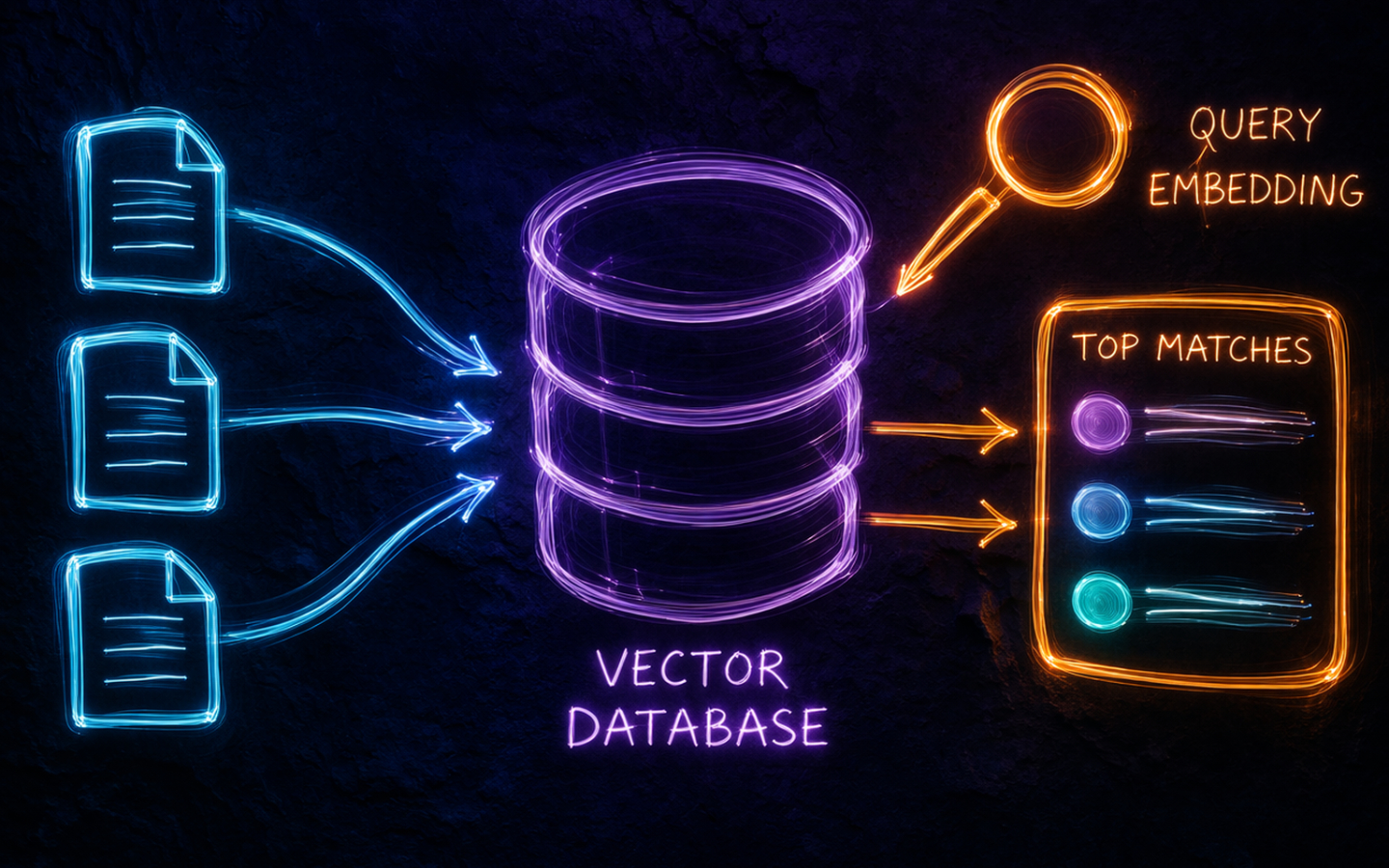
A vector database is a data store purpose-built for high-dimensional vectors. Unlike a relational database that organises data into rows and columns, a vector database indexes vectors using structures designed for similarity search, such as Hierarchical Navigable Small World graphs (HNSW) or Inverted File indexes (IVF). These indexes let you find the nearest neighbours to a query vector in milliseconds, even across millions of entries, without comparing every vector.
Most vector databases also store metadata alongside each vector so you can combine similarity search with conventional filters. A query like “find the ten most semantically similar documents where the author is Alice and the date is after 2025” is a first-class operation.
What Can a Vector Database Do?
- Similarity search: return the K vectors closest to a query vector, measured by cosine similarity or dot product.
- Metadata filtering: narrow the candidate set with attribute filters before or after the vector search.
- Hybrid search: blend keyword (BM25) and semantic (vector) scores so that both exact wording and intent influence the ranking.
- Persistence and durability: store vectors on disk so collections survive restarts, unlike an in-memory library such as FAISS.
- Updates and deletes: add, replace, or remove individual vectors without rebuilding the whole index.
- Multi-tenancy: isolate collections or namespaces for different users or datasets within the same instance.
Commonly Used Vector Databases
There’s no shortage of options. Here are the ones you’re most likely to encounter.
Chroma
Chroma is open source and takes a developer-first approach. It can run entirely in-memory, persist to disk, or run as a server. The Python API is minimal and it can manage embeddings for you if you supply an embedding function, which makes it an excellent choice for prototypes and smaller projects.
Qdrant
Qdrant is open source, written in Rust for performance, and is production-grade from day one. It supports rich payload filtering, named vectors (storing multiple vector types per record), and a streaming-friendly gRPC API. A managed cloud tier is available if you prefer not to self-host.
Weaviate
Weaviate is open source and has strong first-party support for hybrid search, combining BM25 and vector scores in a single query. It models data as objects with a schema, which suits use cases where document structure matters. Cloud hosting is available alongside self-hosted deployment.
Pinecone
Pinecone is fully managed and serverless. You create an index, upsert vectors, and query it via an API without ever managing infrastructure. It’s popular in production RAG systems where operational simplicity is a priority.
Milvus
Milvus is open source and built for large-scale deployments. It supports distributed storage, multiple index types, and is designed for teams with very high query volumes. Zilliz Cloud provides a managed version.
FAISS
FAISS (Facebook AI Similarity Search) is a library rather than a database. It has no persistence, no server, and no metadata filtering, but it’s extremely fast and is often used as the underlying search engine inside other tools. It’s worth knowing about, but most applications are better served by a full database.
What the Cloud Hyperscalers Offer
If you’re already invested in a cloud platform, each major provider has a vector search option.
AWS
Amazon OpenSearch Service added vector engine support so you can store and query embeddings alongside full-text search in the same cluster.
Amazon Aurora PostgreSQL and Amazon RDS for PostgreSQL both support the pgvector extension, which adds a vector column type and ANN search to standard PostgreSQL.
Amazon Bedrock Knowledge Bases abstracts the storage and retrieval layer entirely for teams building managed RAG pipelines.
Azure
Azure AI Search (formerly Azure Cognitive Search) supports vector fields natively alongside its existing keyword search capabilities. Hybrid retrieval that blends semantic and keyword scores is built in, and it integrates well with Azure OpenAI Service.
GCP
Vertex AI Vector Search (formerly Matching Engine) is Google’s managed, high-throughput vector search service.
AlloyDB for PostgreSQL and Cloud SQL for PostgreSQL both support pgvector for teams who prefer a familiar database interface.
Considerations When Choosing
A few questions help narrow down the field.
Scale: how many vectors will you store? A few thousand works fine with Chroma on disk. Tens of millions pushes you towards a distributed system like Milvus or a managed service like Pinecone.
Hosting preference: are you happy to manage infrastructure, or do you want a fully managed service? Self-hosted options give you more control and often lower cost at scale; managed services reduce operational overhead.
Filtering requirements: do you need to combine vector search with metadata filters? Most databases support this, but the performance and expressiveness vary, so test your specific query patterns.
Hybrid search: if your users benefit from both keyword precision and semantic recall, prioritise databases with first-class hybrid support like Weaviate or Azure AI Search.
Integration: if you’re building on a cloud platform, using that provider’s vector offering may simplify authentication, networking, and billing.
Cost model: understand whether you’re paying per query, per stored vector, per compute hour, or some combination. The cheapest option at prototype scale is rarely the cheapest at production scale.
Hands-On: Semantic Search With Chroma and OpenAI
This example picks up from the text embeddings post and uses the same small corpus, this time stored in Chroma with OpenAI’s text-embedding-3-small model managing the embeddings.
Install the required packages first:
pip install chromadb openai
Then run the search:
import os
import chromadb
from chromadb.utils.embedding_functions import OpenAIEmbeddingFunction

client = chromadb.Client()

embedding_fn = OpenAIEmbeddingFunction(
    api_key=os.environ["OPENAI_API_KEY"],
    model_name="text-embedding-3-small",
)

collection = client.create_collection(
    name="documents",
    embedding_function=embedding_fn,
)

documents = [
    "Yams are perennial herbaceous vines cultivated for their starchy tubers.",
    "The stadium was full as the team walked onto the pitch.",
    "It is sunny and warm today with clear skies.",
    "Tubers are enlarged structures used as storage organs in some plants.",
    "The goalkeeper made three crucial saves in the final ten minutes.",
    "Root vegetables are staple foods across many tropical regions.",
]

collection.add(
    documents=documents,
    ids=[f"doc{i}" for i in range(len(documents))],
)

results = collection.query(
    query_texts=["Where does a yam plant store energy?"],
    n_results=3,
)

for doc, distance in zip(results["documents"][0], results["distances"][0]):
    print(f"Distance {distance:.4f}: {doc}")
Chroma calls the embedding function for you on both the documents and the query, stores the vectors, and returns the closest matches with their distances. The plant biology sentences should rank highest because the query and those passages share the same region of the embedding space.
Notice how little code this takes compared to the manual loop in the previous post. The database handles the indexing and the embedding calls, leaving your application code to focus on what to ask and what to do with the results.
Swapping to a persistent store
The example above uses an in-memory client, so the collection disappears when the script ends. To persist it to disk, replace the client line with a path:
client = chromadb.PersistentClient(path="./chroma_data")
Everything else stays the same. The collection survives restarts and you can add more documents incrementally without re-embedding the ones already stored.
Wrapping Up
Vector databases solve the scaling and persistence problems that in-memory similarity search cannot. The right choice depends on how many vectors you need to store, whether you need metadata filtering or hybrid search, and how much infrastructure you want to manage. For most Python projects, Chroma is the fastest way to get started and Qdrant or Pinecone are natural steps up when requirements grow.
Combining a vector database with an embedding model gives you the retrieval layer of a RAG system. The next logical step is connecting those retrieved passages to an LLM so it can answer questions using your documents as context, which is something the LangGraph series explores in detail. Happy coding!