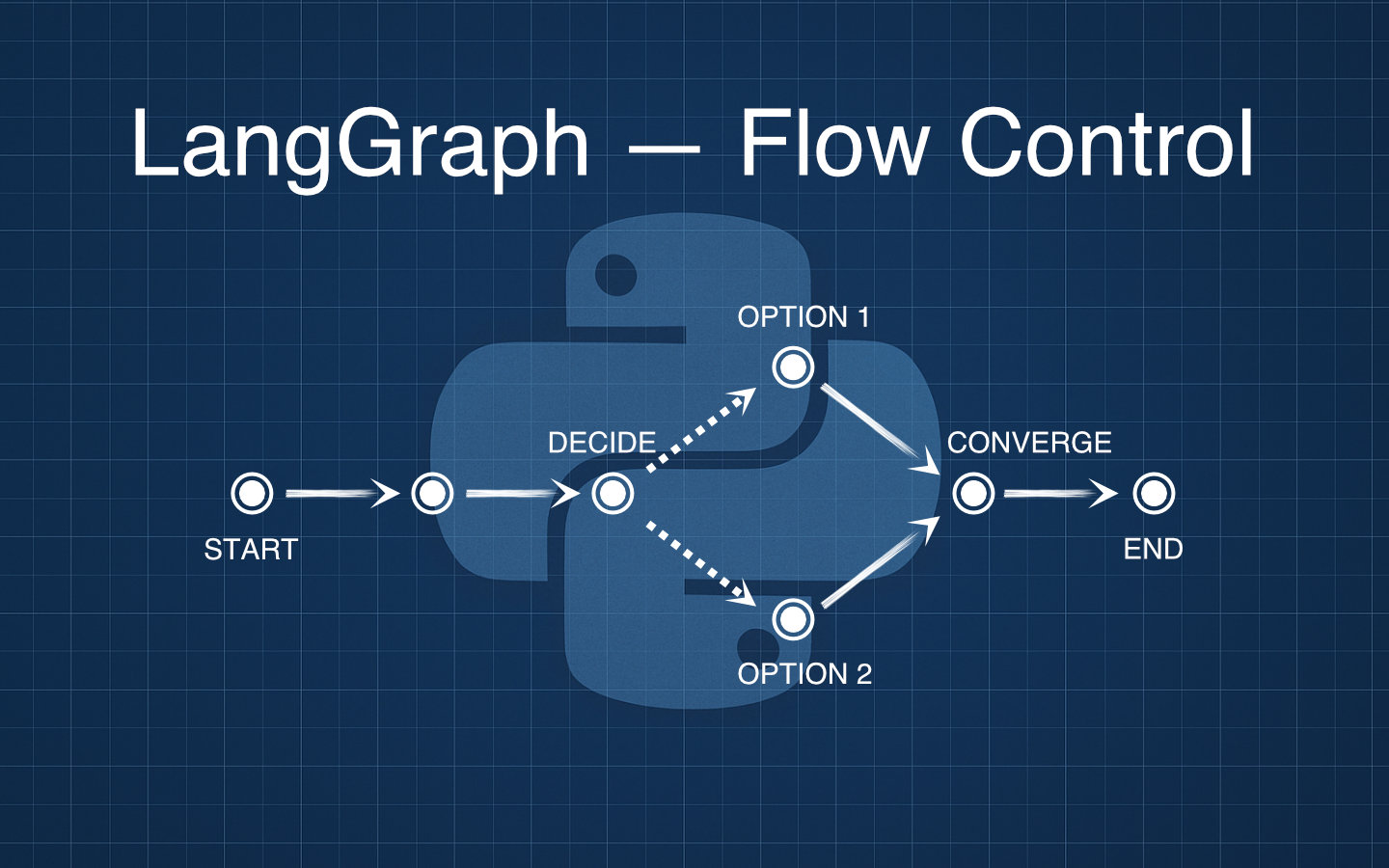
Conditional edges let your LangGraph apps make decisions mid-flow, so today we will branch our simple joke generator to pick a pun or a one-liner while keeping wrap_presentation exactly as it was.
In the previous post we built a two-node graph with joke_writer and wrap_presentation, and now we will insert a choose_style decision point and split into two specialised writers without changing the final presentation step.
What Needs To Change
We will:
- Add a
stylekey toJokeStateto carry a user choice or automatic branch selector. - Add a new deterministic node
choose_styleto decide which style of joke to tell. - Introduce two specialised LLM nodes
write_pun_jokeandwrite_oneliner_jokefor clearer prompts and outputs. - Replace the direct
START→joke_writeredge with conditional routing fromchoose_styleviaadd_conditional_edges.
Updated JokeState
We can extend the shared state with a style selector that drives routing.
from typing import TypedDict, Literal

class JokeState(TypedDict, total=False):
    topic: str
    style: Literal["pun", "one-liner"]
    joke: str
    presentation: str
The style field will guide which branch we take and, declared as a Literal, it can only be set to one of two string values.
Creating the choose_style Node
This deterministic node chooses a style using a simple rule with a random fallback. You can easily swap this for a user preference or a stricter rule.
import random

def choose_style(state: "JokeState") -> dict:
    # Use a pun style of joke for topics including cats or dogs, otherwise choose a joke type at random.
    if "cat" in state["topic"].lower() or "dog" in state["topic"].lower():
        style = "pun"
    else:
        style = random.choice(["pun", "one-liner"])

    return {"style": style}
This isn’t foolproof, as it would only choose the pun style for a joke about a cat or a dog. However, for our demonstration purposes here, it will be fine.
Style-Specific LLM Nodes
Splitting joke writing into two nodes makes prompts easier to reason about and iterate on.
def write_pun_joke(state: "JokeState") -> dict:
    # Reuse your existing LLM chain from the previous post.
    # Pass the style so the prompt can steer generation.
    resp = joke_chain.invoke({"topic": state["topic"], "style": "pun"})
    return {"joke": f"(Pun) {resp.content}"}

def write_oneliner_joke(state: "JokeState") -> dict:
    resp = joke_chain.invoke({"topic": state["topic"], "style": "one-liner"})
    return {"joke": f"(One-liner) {resp.content}"}
In this way, we use the same LLM chain for both joke types and pass the style along with the topic into the chain’s invoke method.
If you prefer separate chains as well, you can set them up with different prompts and choose the chain to invoke in the nodes above.
Often it’s best to keep all your prompts in a single location for review. You could do that with something like the following, where you import the prompt template you need for each chain.
from langchain_core.prompts import ChatPromptTemplate

pun_prompt = ChatPromptTemplate.from_template(
    "Tell me a short pun about {topic}."
)
oneliner_prompt = ChatPromptTemplate.from_template(
    "Tell me a short one-liner joke about {topic}."
)
Wiring the Conditional Graph
We introduce a conditional edge that chooses the next node after choose_style based on the style in state, and we converge both branches back into wrap_presentation.
from langgraph.graph import StateGraph, START, END

# Reuse your previous wrap_presentation implementation.
def wrap_presentation(state: "JokeState") -> dict:
    intro = "Hey, have you heard this one?"
    outro = "Ha ha ha!"
    return {"presentation": f"{intro}\n{state['joke']}\n{outro}"}

graph = StateGraph(JokeState)

# Add nodes.
graph.add_node("choose_style", choose_style)
graph.add_node("write_pun_joke", write_pun_joke)
graph.add_node("write_oneliner_joke", write_oneliner_joke)
graph.add_node("wrap_presentation", wrap_presentation)

# Start at choose_style.
graph.add_edge(START, "choose_style")

# Conditional branching to the right writer based on `style`.
def route_by_style(state: "JokeState") -> str:
    return "write_pun_joke" if state.get("style") == "pun" else "write_oneliner_joke"

graph.add_conditional_edges(
    "choose_style",
    route_by_style,
    {
        "write_pun_joke": "write_pun_joke",
        "write_oneliner_joke": "write_oneliner_joke",
    },
)

# Converge both branches to the same final node.
graph.add_edge("write_pun_joke", "wrap_presentation")
graph.add_edge("write_oneliner_joke", "wrap_presentation")
graph.add_edge("wrap_presentation", END)

app = graph.compile()
The first argument for the add_conditional_edges method shown is the name of the source node.
The second argument is the function to call to make the decision.
This function should take the graph state as its only argument and could be written inline with a lambda if it is simple enough.
You may be wondering what the third argument is when setting up a conditional edge. This can either be a dictionary as shown above, which indicates the value from the decision making function as keys and the names of the nodes to move to as the values. In our case where the decision function’s return values and the node names match, you could also just use an array of strings to declare the node names.
This would make the implementation look like this:
graph.add_conditional_edges(
    "choose_style",
    route_by_style,
    ["write_pun_joke", "write_oneliner_joke"],
)
Visualising the Graph
The graph now looks similar to the following.
Technically the two joke writers converge on the same wrap_presentation node, so bear that in mind when looking at this graph visualisation.
START
  ↓
choose_style
  ├─→ pun → write_pun_joke → wrap_presentation → END
  └─→ one-liner → write_oneliner_joke → wrap_presentation → END
Project Setup
- Start from the previous project where you already had a two-node graph with
joke_writerandwrap_presentation. - Add the
stylekey toJokeStateso it can be set bychoose_styleand read by the router. - Keep your existing LLM chain as
joke_chainand ensure it acceptstopicandstyleinputs, or swap to separate style prompts if you prefer. - Add the new nodes
choose_style,write_pun_joke, andwrite_oneliner_joke. - Replace the direct
START→joke_writeredge withSTART→choose_styleplusadd_conditional_edgesfor branching.
Run It
Here is a minimal driver that routes to a pun when the topic contains “cat” and otherwise chooses randomly.
if __name__ == "__main__":
    initial = {"topic": "cats"}
    result = app.invoke(initial)
    print("Presentation:")
    print(result["presentation"])
You should see a log of the chosen style and the formatted output.
Example:
Presentation:
Hey, have you heard this one?
(Pun) Why did the cat sit on the computer? To keep an eye on the mouse.
Ha ha ha!
Recapping Conditional Edges
add_conditional_edgeslets you expressiforelserouting without mutating state inside the router.- Your routing function reads the current state and returns the name of the next node to execute.
- The mapping you pass to
add_conditional_edgesmust include every possible return value from the routing function and those keys should match actual node names.
Common Pitfalls
- Do not mix a normal edge and conditional edges from the same source node, or both paths may attempt to run.
- If you need to terminate early from a node, put the conditional edges on the previous node rather than combining them with a direct edge from the same node.
- Ensure the router returns valid node keys that exist in the mapping, otherwise the graph cannot resolve where to go next.
Wrapping Up
You have added a style-aware branch to the original joke graph using add_conditional_edges while keeping wrap_presentation intact.
This pattern scales cleanly as you add more styles or rules, and it keeps your LLM prompts modular and easy to iterate on.
If you enjoyed this, try adding a “dad-joke” branch, or make choose_style read a user preference before falling back to a rule.